Medicare Fee Schedule Update
To update the Medicare Fee Schedule annually, please follow the steps below. Please read all instructions before beginning.
- To create an Import Template, go to: Utility > Data Import > CPT Medicare Fee (Import or Update).
- Select

- Save Template to the desktop.
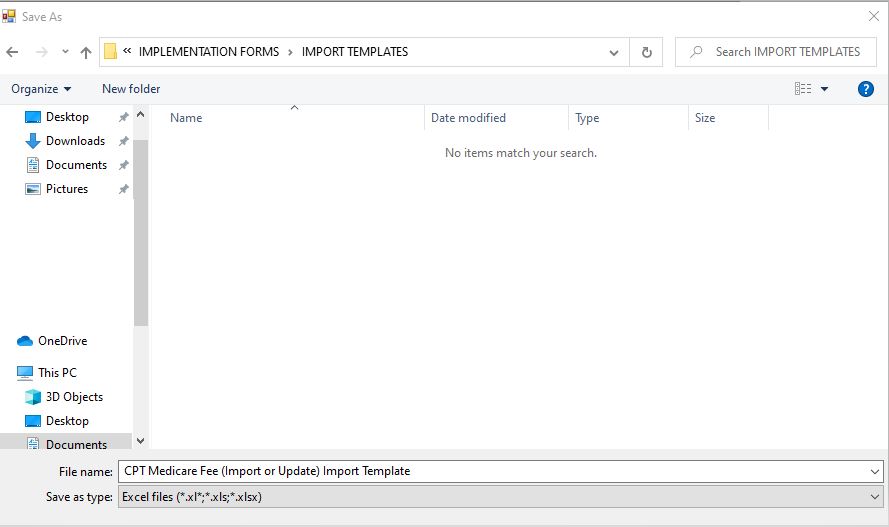
If the center is a member of the Ambulatory Surgery Center Association (ASCA), log in and find the current Medicare Rate Calculator on their website. Open this file or download it to the same folder in which the Import Template was saved.
If the center is not a member of the Ambulatory Surgery Center Association (ASCA), current rates can be downloaded from the CMS website or obtained through the MAC (Medicare Administrative Contractor) for the center's region.
Preparing the Template for Import
Update the saved file:
Follow the Instructions in the screen shot below to calculate the Center's Wage Index.
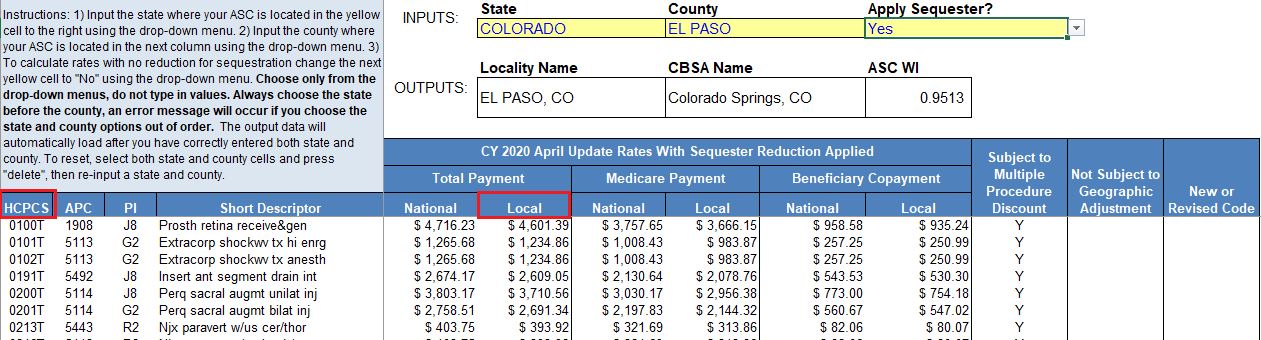
- Open the CPT Medicare Fee (Import or Update) Import Template
- Copy the HCPCS column above into the CPT column on the saved import template.
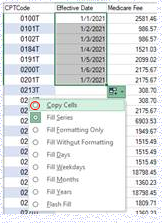
- Enter the Effective Date and populate for all CPTs. (Be sure to select “Copy Cells” as the Fill option.)
- Copy the Local column above (once the Wage Index has been calculated) to the Medicare Fee column. Be sure to select "Paste Values"
-

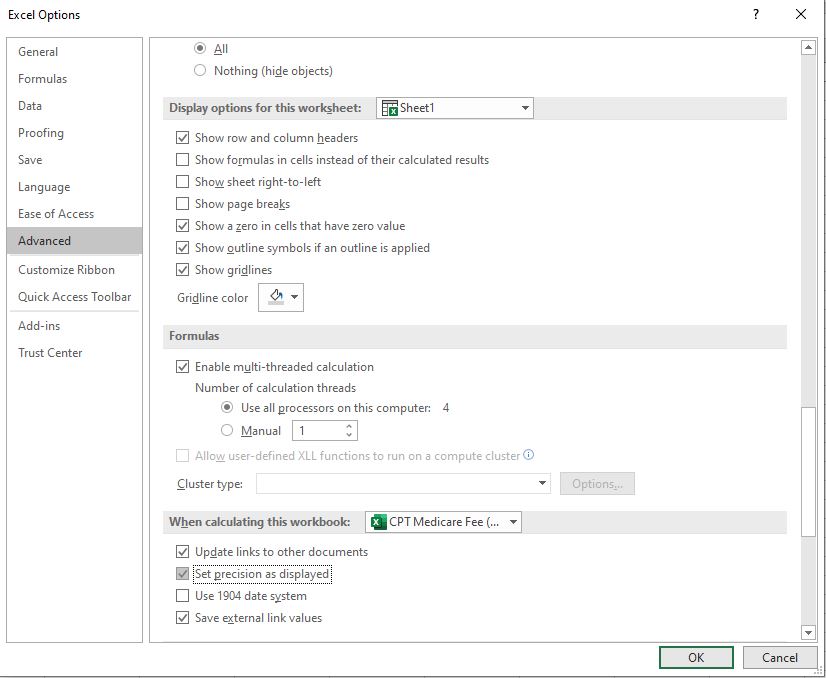
- In the Excel sheet, go to File > Options > Advanced > When calculating this workbook: and check the box to Set precision as displayed. (This will ensure that the fees import with only 2 decimals.)
- Save
NOTE: If CPTs exist in the import file that are not currently loaded in the database, a blue message will appear upon validation or import, and an error file will be created and saved to the same folder in which the import template is located.
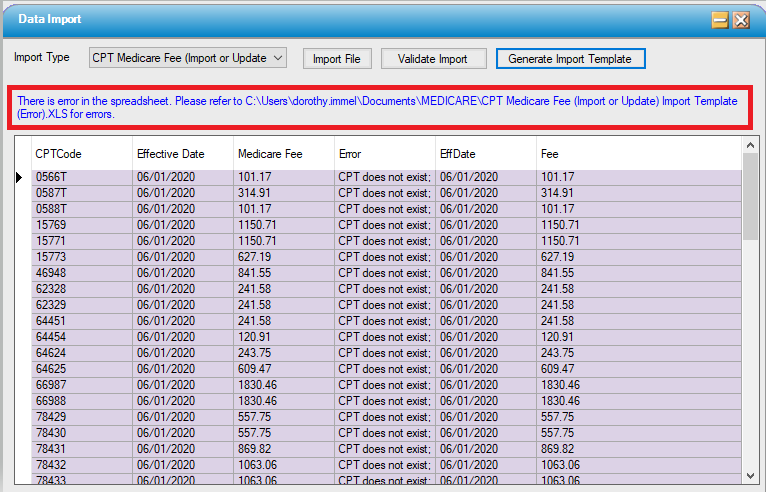
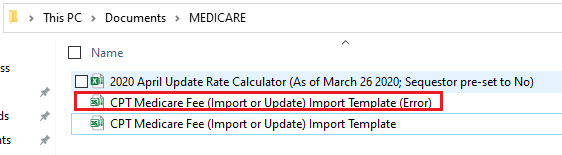
There are two options to resolve this error:
- Add the missing CPTs to the database, using the CPT Code form.
- Sort the Error template by the Error column, delete all rows with the "CPT does not exist" error, save the template, and import the updated template.
|
NOTE: • If the year for the date of service is equivalent to the year of the current Medicare Fee in the CPT Code table, the Medicare Fee that correlates with that date will populate as the Contract Fee in Charge Entry. • If the year for the date of service is not equivalent to the year of the current Medicare Fee in the CPT Code table, the Contract Fee in Charge Entry will populate as $0.00. • If more than one Medicare Fee exists in the CPT Code table for the year (rates were updated more than once within a calendar year), the Medicare Fee that was in effect on the date of service will populate in Charge Entry. |